How to Optimize Your Home Network for Streaming Vinylrips
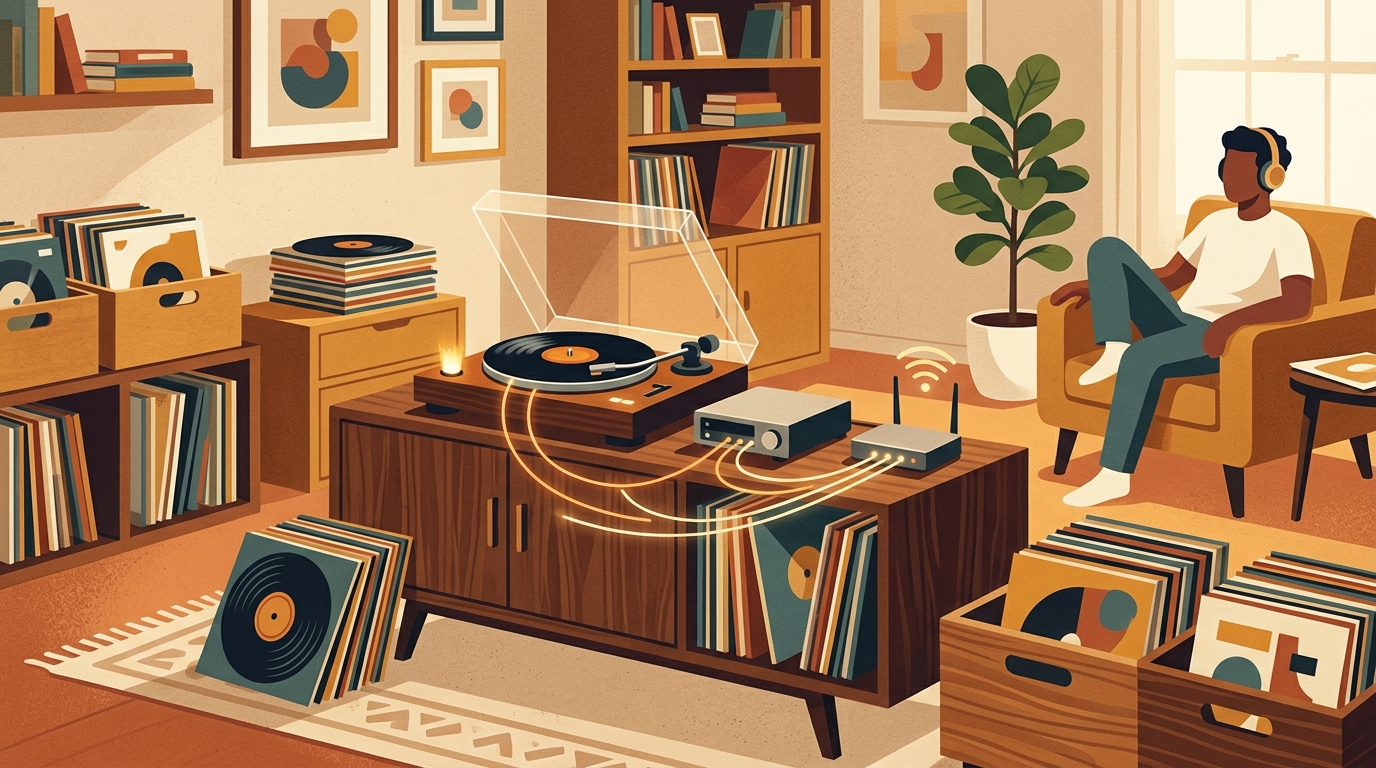
Building a reliable home network streaming vinylrips setup is less about buying an exotic audiophile switch and more about removing weak links. A clean vinylrip can be a large file, especially at 24-bit and 96 or 192 kHz, but it is still modest network traffic by modern standards. The real enemies are packet loss, overloaded Wi-Fi, flaky mesh backhaul, sleeping storage, and a player that cannot consistently find the server.
The reassuring part is that you can fix most problems with ordinary Ethernet, sensible Wi-Fi placement, and a disciplined file library. Spend the upgrade budget on records, sleeves, or a better cartridge. Your router does not need a wooden isolation platform.
Start with the actual bandwidth
Raw stereo PCM is easy to calculate: sample rate multiplied by bit depth multiplied by two channels. CD-quality 16-bit, 44.1 kHz audio is 1.411 Mbps. A 24-bit, 96 kHz rip is 4.608 Mbps, and 24-bit, 192 kHz reaches 9.216 Mbps. One hour of uncompressed 24/192 stereo occupies roughly 4.15 GB before headers and metadata.
FLAC makes those files smaller without throwing audio information away. The Xiph.Org Foundation describes FLAC as a lossless codec, meaning the decoded audio retains the original quality, while its STREAMINFO block can include an MD5 signature of the uncompressed audio for integrity checking [1]. Compression varies with the recording, surface noise, and music, so plan around the uncompressed rate. If your network can sustain 10 Mbps cleanly, it can carry one extremely high-resolution stereo vinylrip. Reliability matters more than a giant speed-test number.
Wire the storage and server first
The best topology is simple: connect the NAS or storage computer to a gigabit Ethernet switch, connect the music server to that same wired network, then wire the primary streamer if practical. Roon's networking guidance recommends wired connections for the server and network storage, and warns against putting Wi-Fi between the server and the library [2]. That advice applies whether you use Roon, Plex, Jellyfin, Logitech Media Server, a DLNA server, or a shared folder.
Use Cat 5e or better cable and a basic gigabit switch from a reputable manufacturer. Jumbo frames, managed VLANs, traffic shaping, and boutique network hardware are unnecessary for most record rooms. If discovery stops working after you added a managed switch or separate IoT network, simplify. Many music systems depend on multicast or broadcast discovery, and some players fail when the server and endpoint sit on different subnets.
Make Wi-Fi boring and predictable
Phones and tablets are fine on Wi-Fi, and many streamers work perfectly when signal strength is good. Place the access point in the open, near the center of the listening area, rather than inside a cabinet beside an amplifier and a nest of cables. Use 5 GHz or 6 GHz for a nearby streamer because those bands offer more capacity and typically face less household interference. Use 2.4 GHz when the signal must cross several walls.
Apple's current router guidance recommends enabling all supported bands, using automatic channel selection, setting 2.4 GHz channel width to 20 MHz, and allowing automatic widths on 5 and 6 GHz [3]. Its deployment guidance also notes that microwaves, cordless phones, and many other devices share 2.4 GHz, while 5 GHz is generally better suited to Wi-Fi but penetrates walls less effectively [4].
With mesh Wi-Fi, Ethernet backhaul between nodes is the gold standard. Wireless backhaul can work, but every hop adds contention. Avoid cheap range extenders. If the listening room is difficult to cable, move a mesh node closer and test it before drilling holes.
Organize the vinylrips for fast playback
Network tuning cannot rescue a chaotic library. Use consistent filenames, embed artist and album tags, add cover art at a sensible resolution, and store cue sheets when a side was captured as one continuous file. FLAC is ideal for archival playback, while WAV is useful during editing. Audacity recommends working in 32-bit float during editing for headroom, then exporting to the desired format; it also notes that 16-bit is suitable for vinyl records and 24-bit is useful for mastering work [5].
Give the server or NAS a DHCP reservation in your router rather than manually assigning a random static address. This keeps its address predictable without creating conflicts. Disable aggressive disk sleep if the first track always stalls, and let the music server finish its library scan before judging performance. In What's Spinning, track the physical pressing and listening history, while your server handles the digital preservation copy.
Test the path, not just the internet
When playback breaks up, copy a large file from the NAS to a laptop in the listening room. A steady transfer matters more than a brief peak. Then try the same player over Ethernet. If the problem disappears, the rip and server are probably fine, and Wi-Fi is the suspect.
- Reboot the router, switch, server, NAS, and streamer.
- Temporarily connect the server and player directly to the router.
- Pause cloud backups and large downloads during the test.
- Check that the server, remote, and streamer are on the same local network.
- Replace one cable at a time, then add switches or mesh nodes back one by one.
Finally, protect the library. A NAS with mirrored drives is not a complete backup. The practical 3-2-1 rule keeps at least three copies on two types of media, with one copy off-site [6]. Vinylripping is slow, careful work. Do not make yourself clean and capture the same first pressing twice because one hard drive retired without notice.
FAQ
Do I need gigabit Ethernet to stream vinylrips?
No. Even uncompressed 24-bit, 192 kHz stereo PCM is about 9.2 Mbps. Gigabit Ethernet is useful because it provides generous headroom and reliable links, not because one audio stream needs anything close to 1,000 Mbps.
Is 2.4 GHz or 5 GHz Wi-Fi better for vinylrips?
Use 5 GHz or 6 GHz when the player has a strong nearby signal. Use 2.4 GHz when range and wall penetration matter more. If dropouts persist, wire the server, NAS, and main listening-room streamer first.
Should I store vinylrips as WAV or FLAC?
FLAC is usually the practical choice. It is lossless, supports useful metadata, and reduces storage and network traffic without changing the decoded audio. Keep an archival master at the resolution you recorded and create smaller copies only when a player requires them.
Will a faster internet plan fix local playback dropouts?
Usually not. Playback from a NAS or music server stays inside your home network. Test the local path between storage, server, access point, and player before paying for more internet speed.
Sources
A spreadsheet tracks what you own. What's Spinning identifies what's playing.
On-device vinyl ID logs your listening history automatically. 7-day free trial.
Looking for Shazam for vinyl?
What's Spinning identifies what's playing on your turntable on-device, logs history, and AirPlays now-playing to your TV.
Comparing vinyl ID apps?
Analog requires Discogs and is iPhone-first (iPad coming). What's Spinning works without Discogs on iPhone and iPad with AirPlay.
Try What's Spinning Free
Turn your iPad into a live now-playing display. Track every record you spin.
START FREE TRIALThen $4.99/mo or $39.99/yr · Cancel anytime
Get it on your iPhone
Open on iPhone