How to Digitally Track Your Vinyl Record Hauls
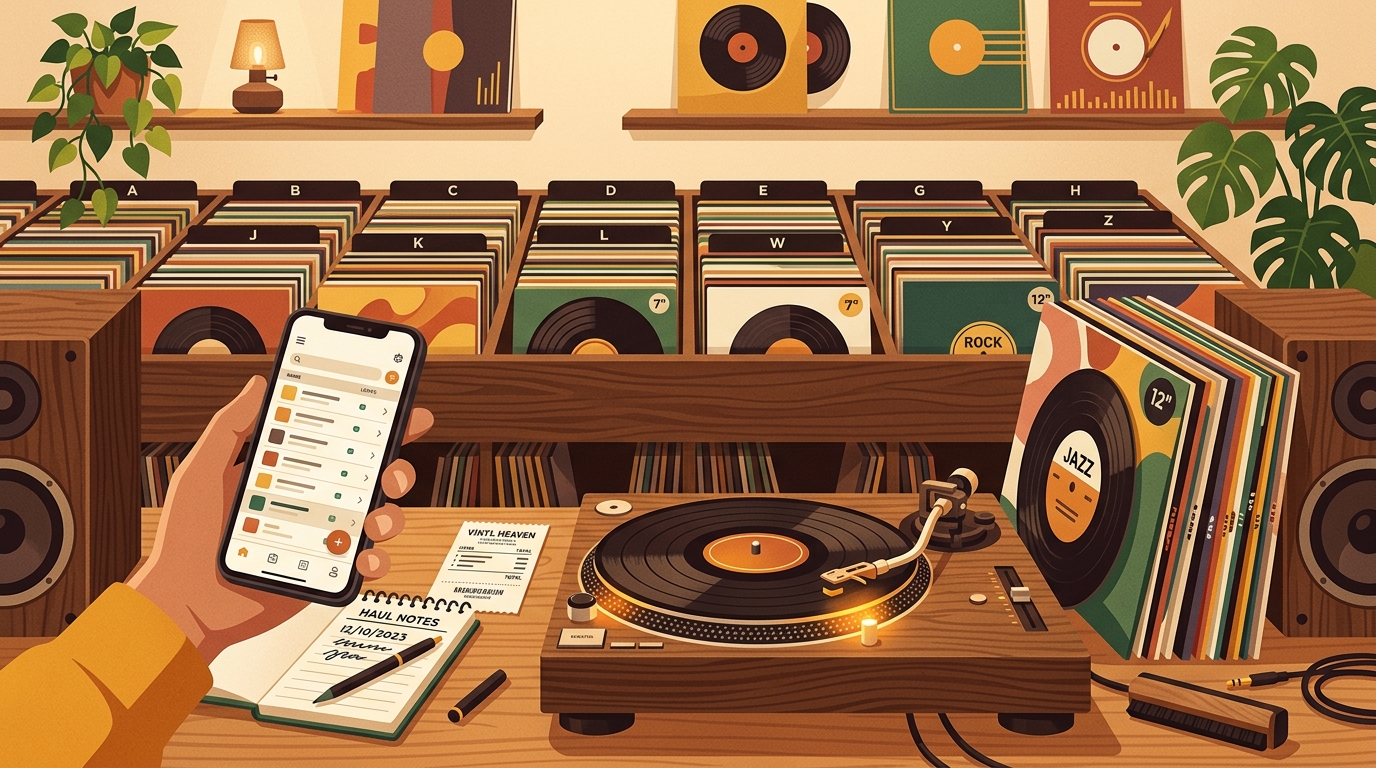
A great vinyl haul has a short memory. You remember the shop, the mood, and the one record you could not leave behind. Two weeks later, the details start to blur: which copy was the cleaner one, what did you pay, was that Blue Note reissue from the sale bin or the mailer, and did you already own a playable copy? Learning how to track vinyl hauls digitally keeps the fun of crate digging while removing the guesswork afterward.
The stakes are not tiny anymore. The RIAA 2025 year-end report says vinyl sold 46.8 million units in the United States, compared with 29.5 million CDs, and vinyl revenue reached about $1.04 billion. When record buying becomes a regular habit, your phone should know what came home before the stack disappears into the shelves.
Start with a haul record, not an album record
The mistake most collectors make is trying to fully catalog every album the minute they walk in the door. That turns a fun Saturday haul into data entry. Instead, create one digital note for the haul itself. Record the date, store or seller, city, event, and total spend. Add context too: record fair, estate sale, Discogs order, tour merch table, thrift shop, or local store credit.
Then add a quick line for each record: artist, title, format, price, and first action. The action can be simple: play soon, clean first, inspect, return, gift, sell, or file. This gives you a searchable receipt for the day before you worry about pressing details.
Capture the identifiers that actually matter
Once the records are out of the bag, move from memory to evidence. Discogs explains that its Collection feature can sort by fields such as artist, title, label, catalog number, format, year, rating, and date added. Its mobile support also notes that barcode scanning can help add a release quickly. Those fields are a good baseline for any digital tracking system, even if you use a spreadsheet, notes app, or collection app.
For new sealed records, barcode and label are often enough. For used records, add catalog number, country, year, and anything unusual about the jacket or label. Discogs' own database guidelines point collectors to catalog numbers, barcodes, matrix numbers, and other identifiers when a release is unclear. That is the difference between "I bought Kind of Blue" and "I bought this exact reissue, in this condition, from this shop."
Photograph before you file
Photos are the fastest insurance against forgetting. Take four pictures for higher-value or confusing purchases: front cover, back cover, label, and runout area if readable. You do not need archival lighting. A clear phone photo under a lamp is enough to confirm a variant later.
Use the same file naming habit every time: date, artist, title, and source. For example, 2026-10-12_talking-heads_remain-in-light_easy-street.jpg. If your app allows attachments, add the photos there. If not, keep them in a cloud folder linked from your haul note.
Grade media and sleeve separately
Condition drives value, trade decisions, and whether a record gets played. The Goldmine grading standard remains one of the collecting world's common vocabularies, with familiar grades like Near Mint, Very Good Plus, Very Good, Good, Fair, and Poor. The key habit is to grade the disc and jacket separately. A clean record in a rough sleeve is not the same thing as a noisy record in a beautiful cover.
Digital notes should include both a grade and plain language. Write "VG+ media, VG sleeve, corner crease, light paper scuffs, plays clean" instead of only "VG+." If you have not cleaned or played it yet, mark it as provisional. Future you will appreciate the honesty.
Use a three-pass workflow
Good haul tracking works best in passes. Pass one happens immediately: quick title list, source, price, and action. Pass two happens during inspection: barcode, catalog number, condition, photos, and duplicate check. Pass three happens after listening: keeper note, sound quality, surface noise, favorite side, and whether it belongs in regular rotation.
This is where What's Spinning fits nicely: let the app track what actually gets played from your turntable, then use your haul notes to connect ownership details with real listening behavior. A record is not just an inventory item. It is something you either return to or quietly forget.
Build a duplicate rule before you need it
Every collector eventually buys the same album twice. Sometimes that is smart. A mono copy, a cleaner upgrade, a different master, a colored variant, or a sentimental backup can all justify shelf space. Accidental duplicates are the expensive problem.
Before filing a haul, search your digital collection by artist and title. If the album is already there, add one reason the new copy stays. If you cannot name the reason, compare them within a week. Keep the better copy, trade the extra, or mark it for sale while the purchase is still fresh.
A practical digital haul template
- Haul: date, store or seller, city, event, total spend, payment note.
- Record: artist, title, format, label, catalog number, barcode, release year.
- Condition: media grade, sleeve grade, defects, cleaning status, photos.
- Source: record shop, fair, online order, merch table, thrift, gift, trade.
- Action: play soon, clean first, inspect, return, sell, gift, trade, file.
- Listening note: one sentence after the first complete play.
- Duplicate note: upgrade, variant, mono or stereo, different mastering, sentimental, or trade bait.
Keep the system light enough to use
The best system is the one you will actually open in a record store. If you love spreadsheets, use one. If you live in your notes app, start there. If you want collection tracking plus listening history, use a dedicated vinyl app. The important part is consistency: same fields, same grading language, same habit after every haul.
Do not try to become a museum registrar overnight. Track the haul first, identify important pressings second, and write listening notes only after the record has earned them. That keeps the ritual enjoyable and gives your collection a memory that is better than the stack on the floor.
FAQ
What is the fastest way to digitally track a vinyl haul?
Create one haul note with the date, source, total spend, and a quick line for each record. Add pressing details, condition notes, and photos later for the records that need them.
Do I need to identify the exact pressing for every record?
No. Exact pressing data matters most for valuable, used, imported, limited, or confusing releases. For ordinary new records, barcode, label, format, and release year are usually enough.
Should I track purchase price?
Yes, if you are comfortable seeing it. Purchase price helps with budgeting, insurance, resale decisions, and understanding which buying habits actually make you happy.
How do I handle records I have not cleaned or played yet?
Mark them as provisional. Use tags like "clean first" or "listen before grading" so you do not mistake a visual inspection for a final judgment.
A spreadsheet tracks what you own. What's Spinning identifies what's playing.
On-device vinyl ID logs your listening history automatically. 7-day free trial.
Looking for Shazam for vinyl?
What's Spinning identifies what's playing on your turntable on-device, logs history, and AirPlays now-playing to your TV.
Comparing vinyl ID apps?
Analog requires Discogs and is iPhone-first (iPad coming). What's Spinning works without Discogs on iPhone and iPad with AirPlay.
Try What's Spinning Free
Turn your iPad into a live now-playing display. Track every record you spin.
START FREE TRIALThen $4.99/mo or $39.99/yr · Cancel anytime