Organize Your Vinyl Shelf with QR Labels
You pull a record from your shelf, play it, and then spend ten minutes trying to remember where it lived. The sleeve goes back in the wrong slot, and six months later you are buying a duplicate at a record fair. This is the loop that every vinyl collector knows, and it is surprisingly easy to break with a simple idea: give every shelf slot its own label.
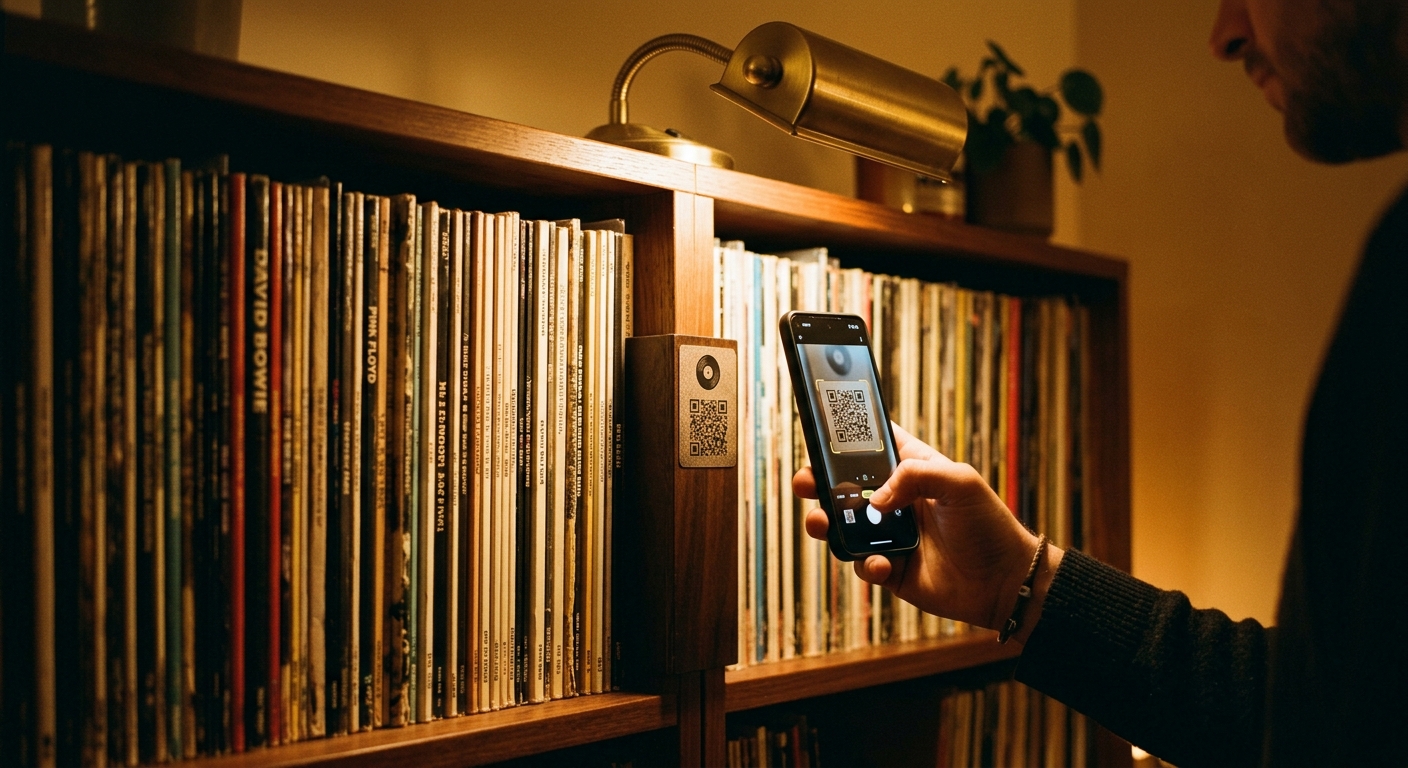
QR labels for vinyl shelves work like a library index, except the index talks to your phone. Each slot gets a small printed code, and each code links to a specific record in your What's Spinning collection. When you pull a record, you scan the shelf label with your phone. When you put it back, you scan the record sleeve or the slot itself. The app tracks every movement, so your physical shelf and your digital catalog stay in sync without any extra effort.
How the system works in practice
What's Spinning generates a sheet of QR codes, one for each slot in your shelf. You print them, stick them on, and start scanning. The first time you scan a shelf label, the app asks you to confirm which record lives in that slot. After that, the connection is permanent. The next time you pull that record, the app knows exactly where it belongs.
The workflow is fast enough to use in real time. You finish side two of an album, stand up, and scan the shelf label on your way to put the record back. The app logs the return instantly. There is no menu to navigate, no search to run, no confirmation dialog to dismiss. The whole action takes about two seconds, and it means your collection database stays accurate without you having to think about it.
This turns out to matter more than you might expect. When your shelf and your app agree on where everything is, you can use your phone to plan your listening. You open What's Spinning, browse your collection by genre or mood, and then walk to the exact shelf slot where that record lives. You never have to pull five sleeves looking for the right one. You also never accidentally reshelve a record in the wrong place, which is the root cause of most collection chaos over time.
Organizing larger collections by section
If you have more than a few hundred records, a single alphabetical list gets hard to navigate. A better approach is to divide your shelf into sections and use QR codes to track which section each record lives in. You might group records by genre, or by the decade they came from, or by how much you love them. The QR system does not care about your logic. It just tracks the physical location you assign, so you are free to organize however makes sense to you.
Some collectors use color-coded sections alongside QR codes. A section for jazz, a section for rock, a section for everything else. The QR label tells you the exact slot, and the color coding gives you a fast visual map when you are standing in front of the shelf. Together they eliminate the two slowest operations in vinyl browsing: scanning spines by eye, and reshelfing records in the wrong slots.
When you are at a record store, the system pays off again. You find a record you have been looking for, pull out your phone, and check whether you already own it. The app shows you not just the title but the specific pressing and the condition grade. If it is a duplicate, you can leave it on the rack and save your money for something new. If you do not own it, the app logs it as a want so you remember where you saw it.
Building the habit
The hardest part of any organizational system is the startup cost, and QR shelf labels are no different. You need to print the codes, stick them on, and scan each one to assign a record. For a collection of a few hundred records, this is a weekend afternoon of work. But it is one-time work. After that, maintaining the system takes a few seconds per record, and the payoff compounds every time you interact with your collection.
What makes the habit stick is that it saves you time on the other end. The minutes you spend scanning when you reshelve a record are far fewer than the minutes you would spend hunting for a lost record later. Over a year, most serious collectors spend hours looking for records they own. The QR system converts that time into a five-second scan, and it keeps your collection in good enough shape that you can always find exactly what you want to play.
There is also a satisfaction to having a perfectly organized shelf. The visual order of a well-kept vinyl collection is part of the appeal of collecting in the first place. QR labels let you have that visual order without sacrificing the digital accuracy you need to manage a large collection over time.
What you need to get started
A smartphone with What's Spinning installed, a printer, and a collection of records are all you need. The app generates the QR codes for free. You can print them on plain paper and use a glue stick or double-sided tape, or you can print on sticker paper for a cleaner finish. The codes are small enough that they do not dominate the look of your shelf, but large enough to scan reliably from a short distance.
Start with one shelf or one section of your collection. Get the habit working in a small area before you commit to labeling your entire room. Once you see how naturally it fits into your routine, you will want to label everything. Your future self, standing in front of a wall of records trying to remember where that Blue Note pressing went, will be glad you did.
A spreadsheet tracks what you own. What's Spinning identifies what's playing.
On-device vinyl ID logs your listening history automatically. 7-day free trial.
Looking for Shazam for vinyl?
What's Spinning identifies what's playing on your turntable on-device, logs history, and AirPlays now-playing to your TV.
Comparing vinyl ID apps?
Analog requires Discogs and is iPhone-first (iPad coming). What's Spinning works without Discogs on iPhone and iPad with AirPlay.
Try What's Spinning Free
Turn your iPad into a live now-playing display. Track every record you spin.
START FREE TRIALThen $4.99/mo or $39.99/yr · Cancel anytime